|
|
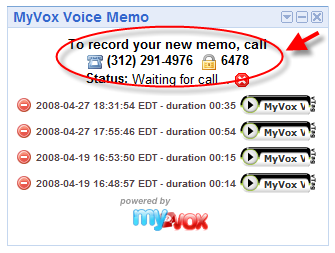
5. Creating a new recordingCreating a new memo requires to first call myVox.createRecording() to have a place holder in our recording list and then call myVox.startRecordingSession() to get the MyVox systems ready to receive our phone call. This is implemented as follow: function recordingStart() { myVox.createRecording('memo', recordingCreate); } function recordingCreate(response) { var recording_key = myVox.getValueByTagName(response, 'recording_key'); if(recording_key) { myVox.startRecordingSession(recording_key, recordingDisplayPhoneNumber); } else { errorCommand(); } } The response from the started session will provide us with the phone number to call and the pin number for the memo we want to record.
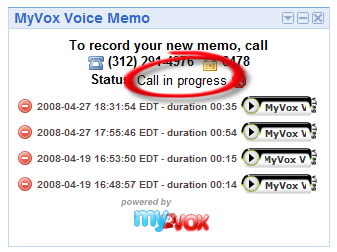
We could simply display this information and let the user handle the phone communication, but as the iGoogle page automatically refreshes on a regular basis, or as we could imagine that the user closes the browser by mistake and re-open iGoogle, we want to ensure that in both cases, the gadget shows that a recording session is in progress and re-displays the phone and pin number. To achieve this safety net, we are using 3 additional iGoogle hidden user preferences to store the recording session key, the phone number and the pin number. If the value of any of these preferences is ‘---‘ (arbitrary decision on our part), we know we do not have an active session in progress. function recordingDisplayPhoneNumber(response) { var phone_number = myVox.getValueByTagName(response, 'phone_number'); var ivr_pin = myVox.getValueByTagName(response, 'ivr_pin'); var recording_session_key = myVox.getValueByTagName(response, 'recording_session_key'); if(phone_number && ivr_pin && recording_session_key) { // format phone number phone_number = formatPhoneNumber(phone_number); // Now that the session is ready, save the parameters in // iGoogle user prefs such as we can continue from // where we were after a page reload/refresh prefs.set('recsession', recording_session_key); prefs.set('recphone', phone_number); prefs.set('recpin', ivr_pin); displayStatus(phone_number, ivr_pin); myVox.getSessionStatus(recording_session_key, recordingShowStatus); } } Once the session is initiated, all we have to do is to call the MyVox API on a regular basis to request the status of the recording session. We use the information to display the status of the call ("Waiting for call" or "Call in progress") and to detect if the call has been completed or aborted. This is implemented by calling our myVox.getSessionStatus() command every 3 seconds on a Javascript setTimeout() function. setTimeout('myVox.getSessionStatus(\'' + recsession + '\',recordingShowStatus)', 3000); The following screen shot shows the gadget when the call is in progress.
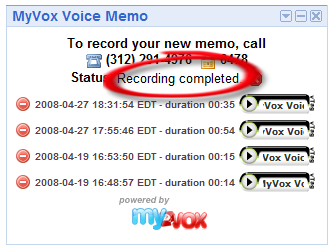
When the user confirms he is done with the recording over the phone, the gadget changes as shown below when polling the next status. Following this state, we will put the gadget back in listen mode and stop polling for status.
|