|
|
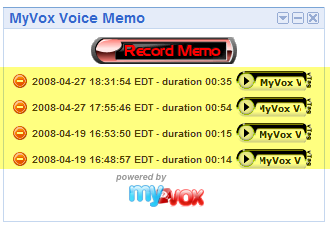
6. Getting the list of existing recordingsOn gadget startup and following any actions impacting the recording list (new recording and deletion), we call the getMemos() wrapper function to update the display of available recorded memos. This function makes an API call with the GetRecording command to get the list of the available recordings. function getMemos() { myVox.getRecording(displayMemos); } The displayMemos() call back function will traverse the XML response to extract data for each recording. For the Voice Memo gadget, we are only interested in the URL of the mp3 file, the creation date and time, the recording key which will be used if the user wants to delete the memo, and the length of the recording. // Get a list of the <recording> element nodes in the response var recordings = response.getElementsByTagName("recording"); if(recordings && recordings.length > 0) { // Loop through all <recording> nodes for(var i = 0; i < recordings.length; i++) { var mp3_url = ''; var date_created = ''; var recording_key = ''; var length = 0; // Get child nodes for the current <recording> note var nodeList = recordings.item(i).childNodes; // Loop through child nodes. Extract data from the text nodes that are // the children of the associated name, mp3_url, date_created and recording_key // element nodes. for (var j = 0; j < nodeList.length ; j++) { var node = nodeList.item(j); if(node.nodeName == 'mp3_url') { mp3_url = node.firstChild.nodeValue; } else if(node.nodeName == 'date_created') { date_created = node.firstChild.nodeValue; } else if(node.nodeName == 'recording_key') { recording_key = node.firstChild.nodeValue; } else if(node.nodeName == 'recording_length') { length = node.firstChild.nodeValue; } } // Display the collected data for this <recording> node } A <recording> node is available in the recording list for every CreateRecording command that was issued, even if no recording session was actually started over the phone. It is necessary to filter nodes which do not have an mp3_url child node. The <recording> nodes are sorted by increasing creation date. For most applications, like our Voice Memo, we only want to display the last few recordings. This is easily achieved for instance by pushing the results in an array, and then only using the last few entries in the array.
Next, 7. Playing a recording |