|
|
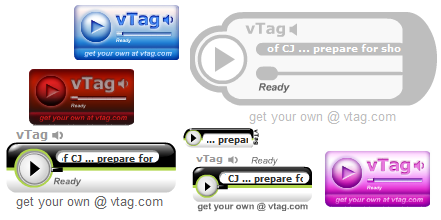
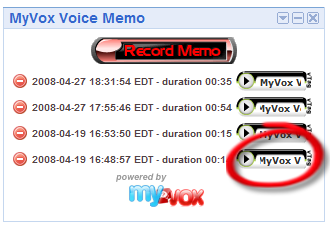
7. Playing a recordingAs the GetRecording XML response provided us with an URL to the MP3 file hosted on the MyVox systems, we could just list this URL in the gadget HTML content. A click on the HTML <A> tag would on most systems open the application assigned to the handling of the MP3 MIME type. For instance, on Microsoft Windows the default behavior would be to have the Microsoft Windows Media Player starts up and play the recording. Even if this works, this would not be a user friendly solution to get a new application pops up on each click. To provide an integrated playback solution to the user, it is preferred to use an embedded Adobe Flash MP3 player in the gadget rendered HTML. MyVox makes this especially easy by providing a gallery of free to use players. The gallery is available online here http://api.myvox.com/tools/players.jsp.
The following code sample creates the <object> tag with the <param> tag such as it will work cross browser. The selected player in this example is the smallest 76x22 option offered on the gallery. var playerHtml = '<object type="application/x-shockwave-flash" width="76" height="22" ' + 'data="http://api.myvox.com/tools/player003.swf?audio=' + mp3_url + '&message=Memo' + '"><param name="movie" value="http://api.myvox.com/tools/player003.swf?audio=' + mp3_url + '&message=Memo' + '" /></object>';
If you want to use a player other than the smallest player003.swf, you will have to change the width and height of the <object> tag to match the dimension listed on the gallery. When rendered by the browser, the <object> tag will allow the user to play the recording by a click on the play button. The MyVox player gallery offers a good variety of players in sizes and themes, but if you are looking for a player only showing a play button, you might want to consider the MusicPlayer Button from http://musicplayer.sourceforge.net/ which is a free and open source Adobe Flash application. You will have to download the swf and host it on your web server. The following code would be a drop in replacement for the previous code snippet. Just have the variable rootUrl set to the URL where the musicplayer.swf is hosted. var playerHtml = '<object type="application/x-shockwave-flash" width="17" height="17" ' + 'data="' + rootUrl + 'musicplayer.swf?song_url=' + mp3_url + '"><param name="movie" value="' + rootUrl + 'musicplayer.swf?song_url=' + mp3_url + '" /></object>'; Next, 8. Deleting a recording |